What's new in Daymark
The latest features, improvements, and fixes, shipped and documented as we go.
1.2.0 Keep the context close
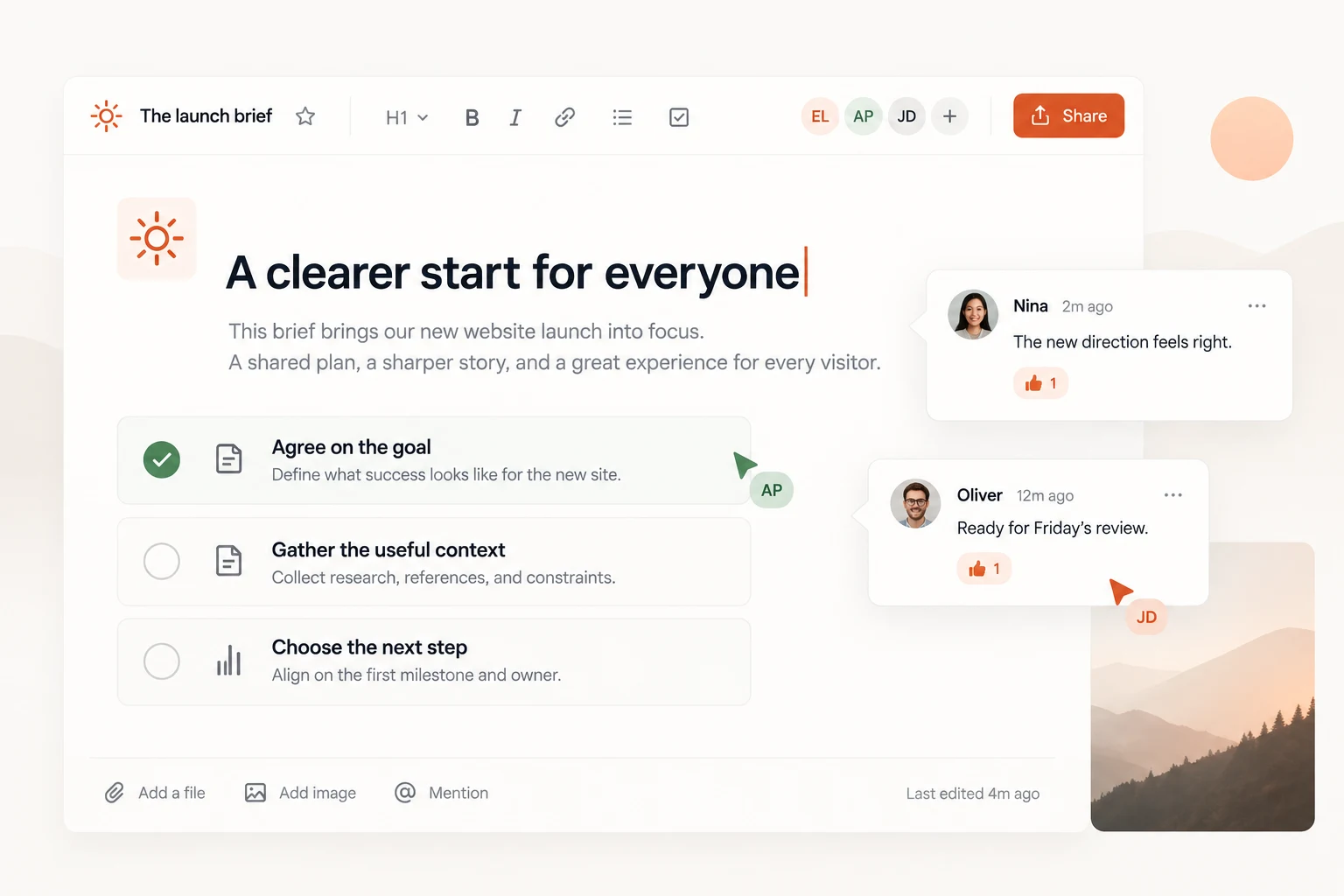
A good brief should stay beside the work. Shared notes now bring your decisions, feedback, and next steps into the same conversation.
New: a shared place for the details
- Write project briefs with headings, checklists, and file attachments.
- Leave a comment beside the detail you want to discuss.
- Mention a teammate to bring them into the conversation.
Small improvements, every day
We have made keyboard focus clearer, refined the mobile project view, and improved the contrast of notes and activity cards in dark mode.
1.1.0 A few things off your plate
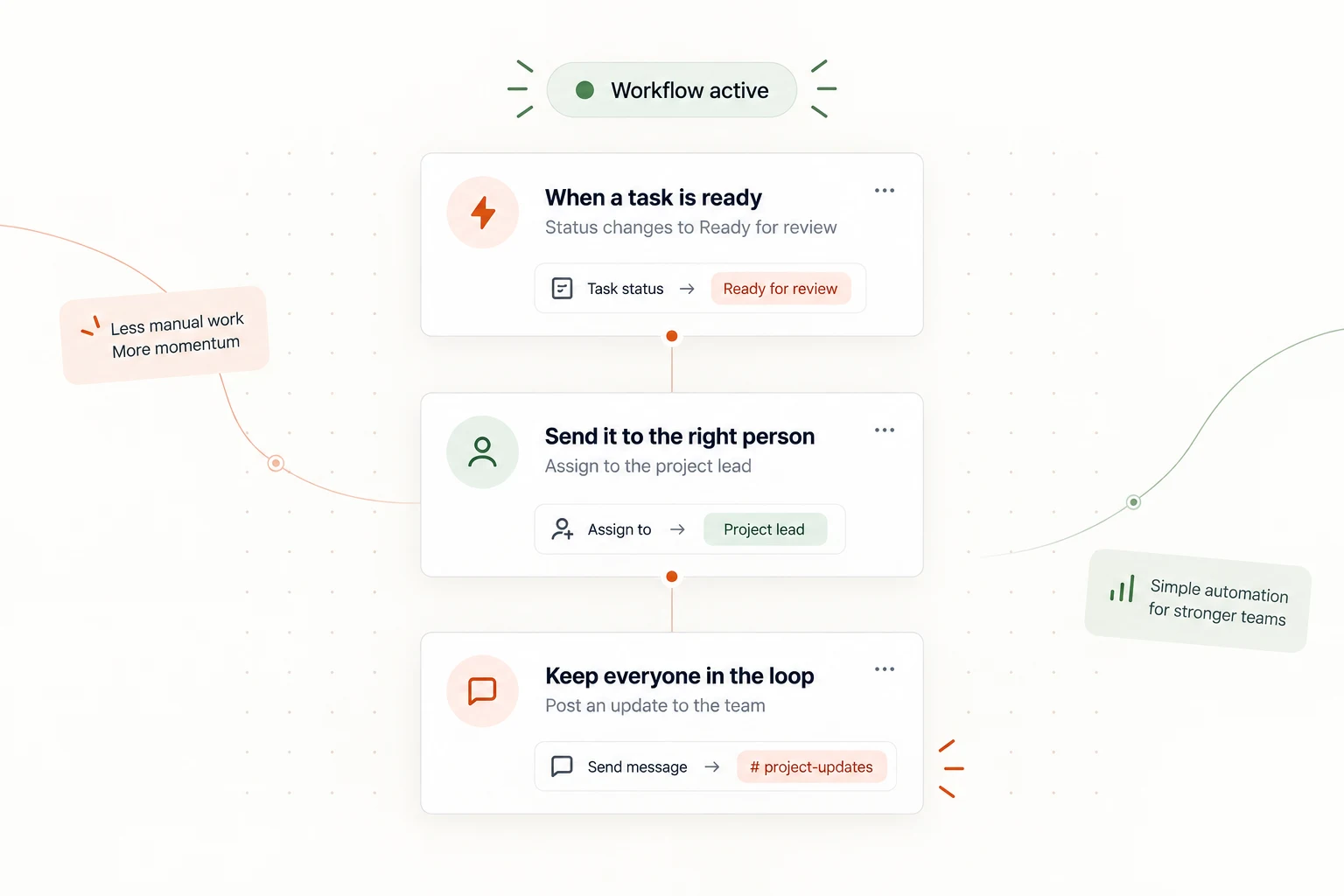
The little handoffs add up. This release gives your team a simpler way to keep routine work moving.
New: thoughtful workflow rules
- Assign a reviewer when a task is ready for feedback.
- Share an update with the team when a milestone changes.
- Use a small template to get your first rule running.
A smoother everyday rhythm
Task owners stay visible on compact boards, and notifications now link straight to the conversation that needs your attention.
1.0.0 A little clarity, from day one
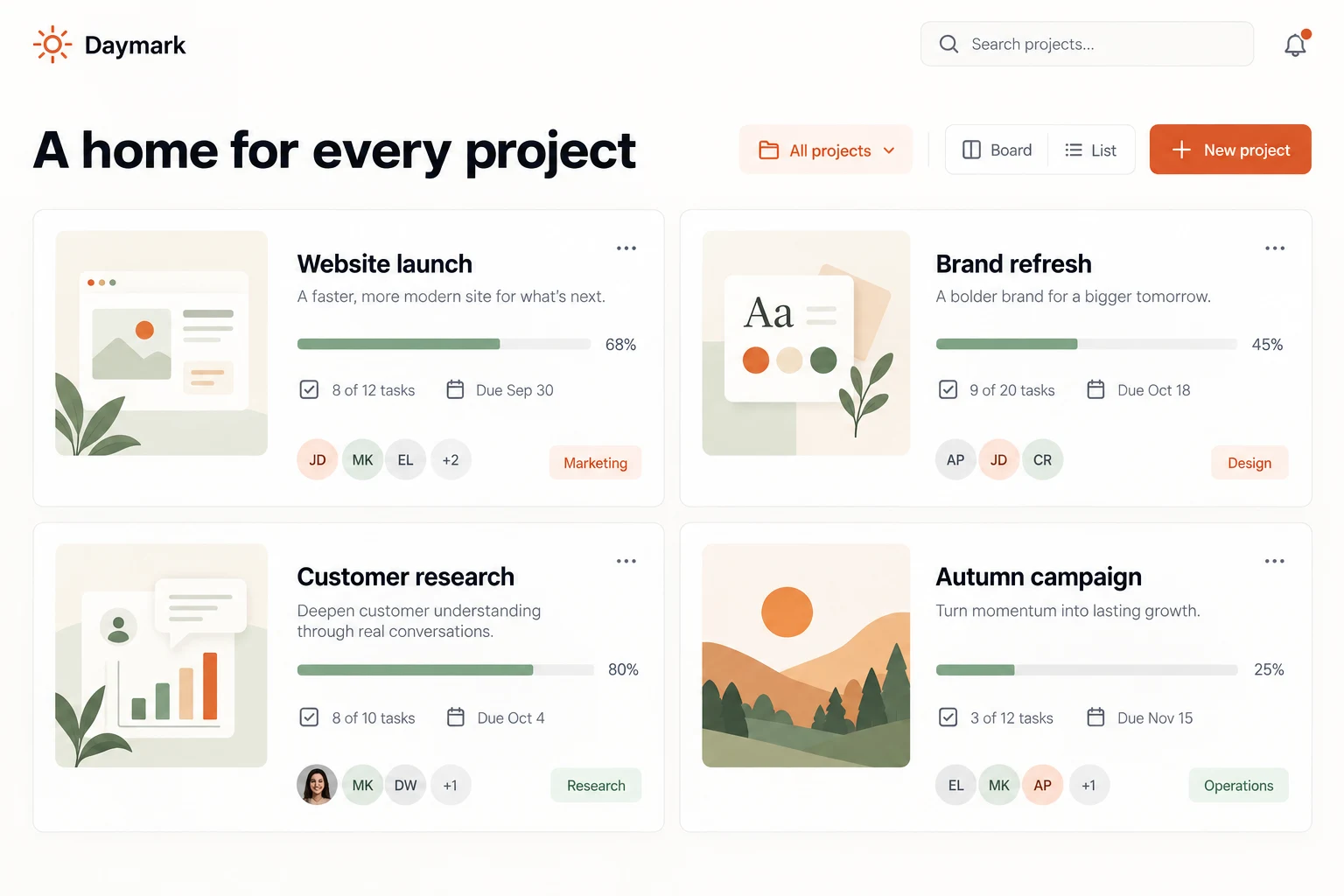
Daymark brings projects, shared notes, and simple routines into one thoughtful workspace.
A place for your next good project
- Organize work with a board, a list, or a shared calendar.
- Keep the brief, feedback, and next step together.
- Give every task a clear owner.
- Choose light or dark mode to match your workday.
A rhythm that feels like yours
Start with a small project, invite a few teammates, and see what becomes clearer when the context stays connected.